> For the complete documentation index, see [llms.txt](https://docs.pascom.net/llms.txt). Markdown versions of documentation pages are available by appending `.md` to page URLs; this page is available as [Markdown](https://docs.pascom.net/reference/howto/wrong-scaling-of-pascom-client.md).
# Skalierung der PASCOM App auf Windows
Mit diesem Workaround können Sie eine falsche Skalierung der PASCOM App auf Windows beheben.
In speziellen Fällen kann es vorkommen, dass die Skalierung der PASCOM App nicht korrekt aussieht. Dies betrifft lediglich Windows-Nutzer und auch nur in bestimmten Monitor- / Auflösungs-Kombinationen. Dieser Workaround soll dabei helfen, die Skalierung der PASCOM App zu verbessern.
### Skalierung der PASCOM App nicht korrekt, was kann man tun?
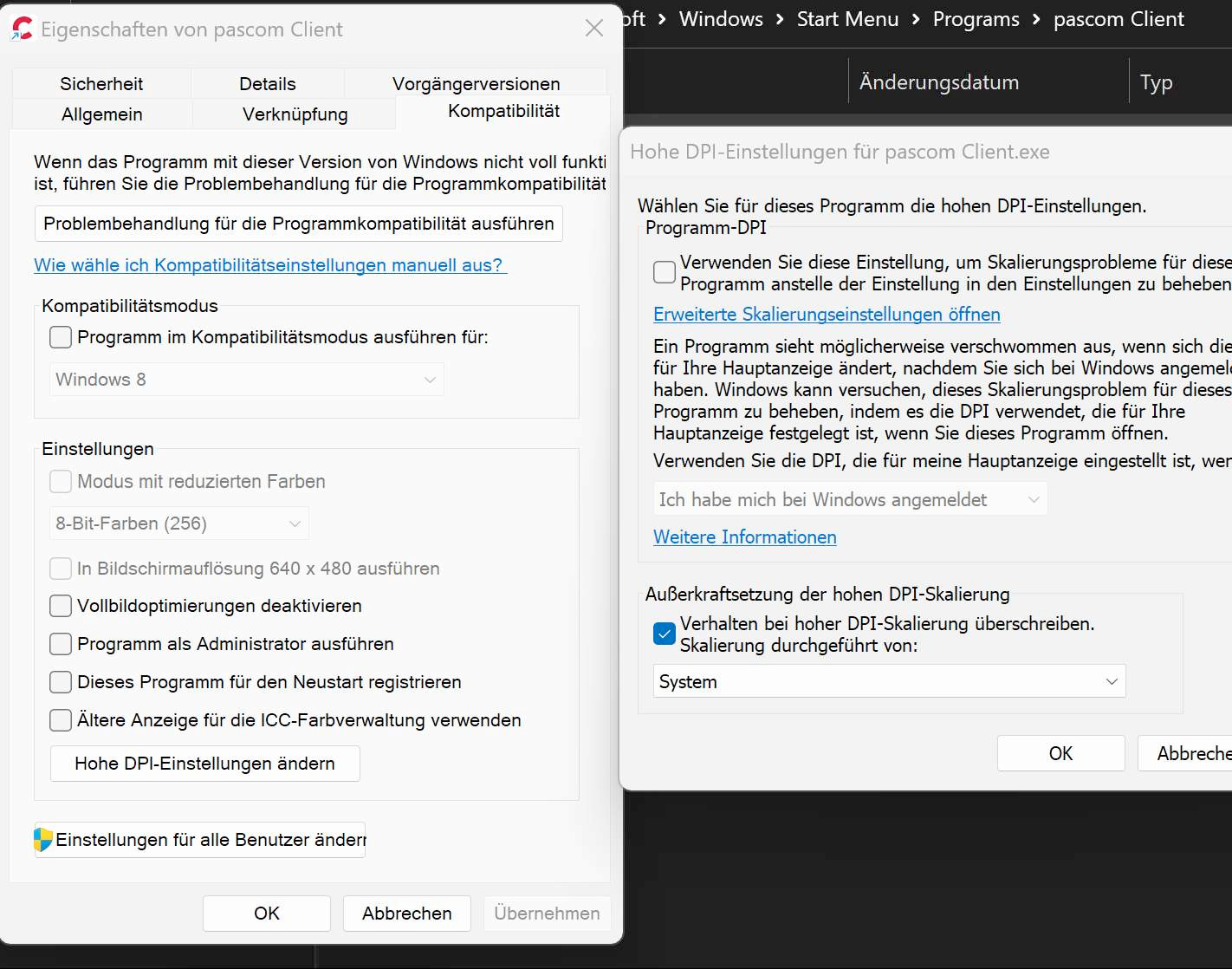
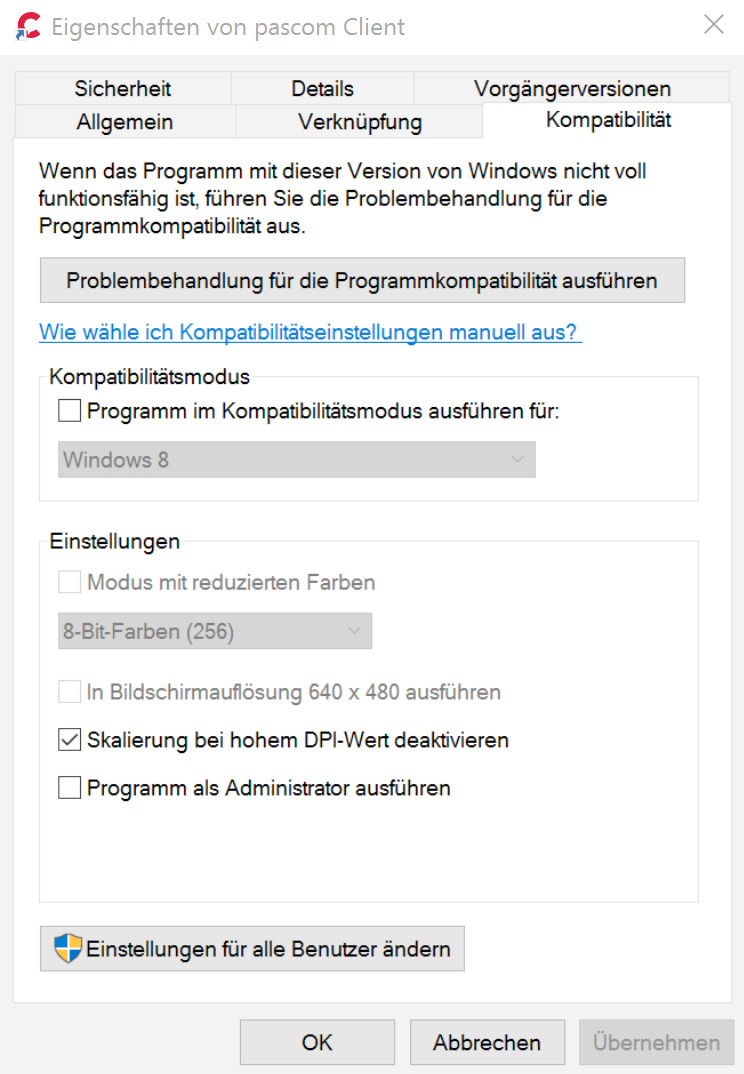
Wenn die Bedienelemente der PASCOM App entweder zu klein oder zu groß erscheinen, kann die Anpassung der HiDPI-Skalierung von Windows hilfreich sein. Anstatt die Anwendung selbst skalieren zu lassen, kann dies über Windows erfolgen.
Schließen Sie Ihre PASCOM App und klicken Sie dann mit der rechten Maustaste auf die Verknüpfung zur PASCOM App und wählen den Menüpunkt **"Eigenschaften"**. Dort wechseln Sie in den Register **"Kompatibilität"**. Hier gibt es nun, je nach Windows Version die Einstellungen für hohe DPI (HiDPI).
Durch Anpassung der HiDPI-Skalierung können Sie eine optimale Größe der Bedienelemente der PASCOM App erreichen, um eine angenehme und gut lesbare Benutzererfahrung sicherzustellen. Bitte beachten Sie, dass das Ändern der HiDPI-Skalierung zu einer unscharfen Schriftdarstellung führen kann.
---
# Agent Instructions
This documentation is published with GitBook. GitBook is the documentation platform designed so that both humans and AI agents can read, navigate, and reason over technical content effectively. Learn more at gitbook.com.
## Querying This Documentation
If you need additional information that is not directly available in this page, you can query the documentation dynamically by asking a question.
Perform an HTTP GET request on the following URL with the `ask` and `goal` query parameters:
```
GET https://docs.pascom.net/reference/howto/wrong-scaling-of-pascom-client.md?ask=&goal=
```
`ask` is the immediate question: it should be specific, self-contained, and written in natural language.
`goal` is what the user is ultimately trying to achieve, the reason they need the answer. Sharing it helps GitBook give you a better, more relevant answer. A goal is most helpful when it describes the outcome the user wants rather than restating the question. For example, with `ask=how do I create an API token`, a goal like `build a script that syncs our docs to a CMS` lets GitBook tailor the answer to that use case.
The response will contain a direct answer to the question and relevant excerpts and sources from the documentation.
Use this mechanism when the answer is not explicitly present in the current page, you need clarification or additional context, or you want to retrieve related documentation sections.