> For the complete documentation index, see [llms.txt](https://docs.pascom.net/llms.txt). Markdown versions of documentation pages are available by appending `.md` to page URLs; this page is available as [Markdown](https://docs.pascom.net/en/operations/system/dashboard.md).
# Admin Dashboard Overview
Find out how the Admin Dashboard works.
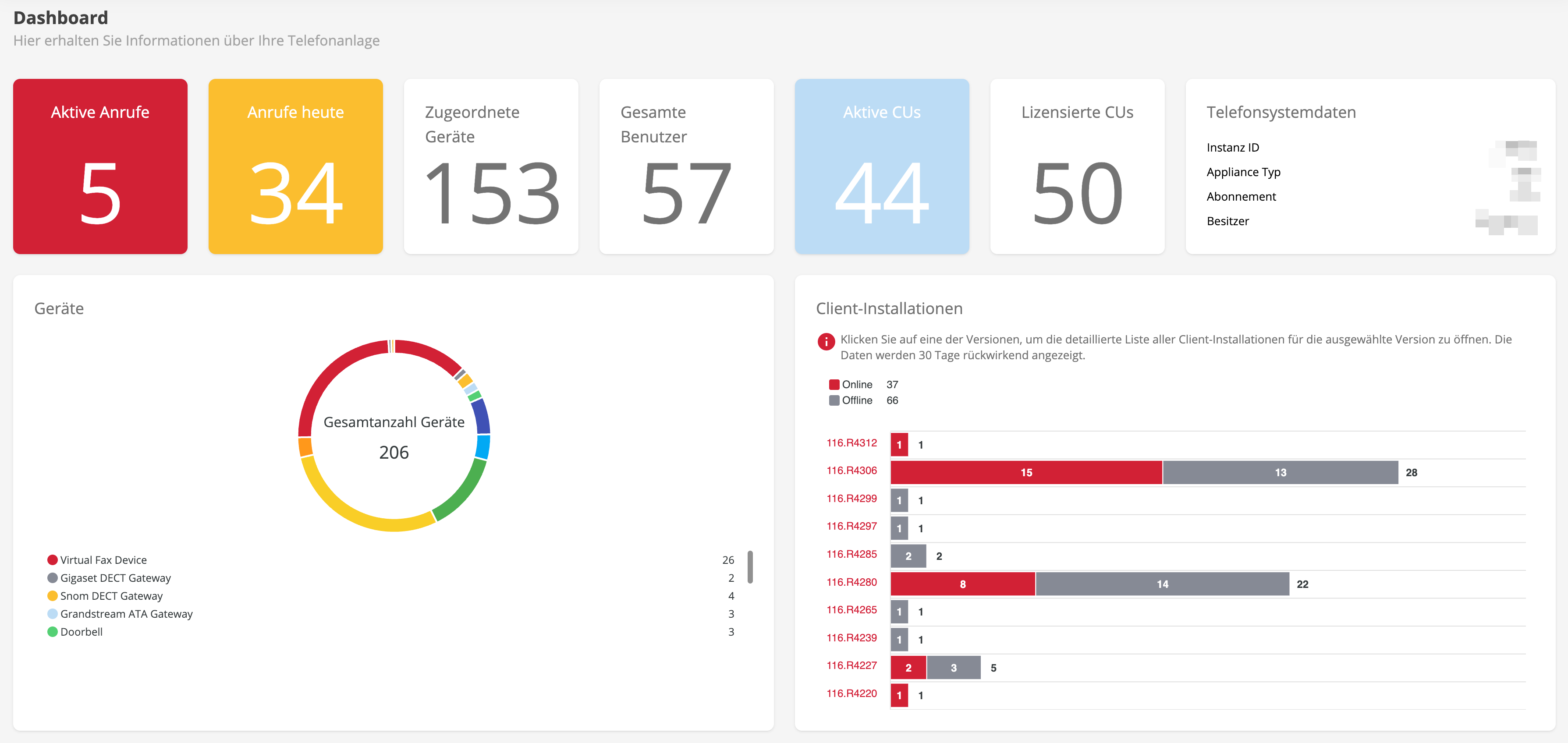
The Dashboard is a powerful tool that provides system administrators with a comprehensive overview of various important aspects of the system. With this overview, you can monitor licence utilisation, track devices in use, analyse app versions and much more.
The dashboard is designed to help you make informed decisions and maximise the efficiency of your system. By using this dashboard, you can proactively identify problems and ensure that your IT resources are being utilised effectively.
In the following, we will take a closer look at the individual sections and explain what you can see in the Admin Dashboard.
| View | Description |
| ----------------- | ------------------------------------------------------------------------------------------------------------------ |
| Active Calls | Current live calls on the telephone system. |
| Calls Today | Calls made so far (today). |
| Active CUs | Concurrent user licences that are currently required. You can get a more detailed insight in the licence overview. |
| Licensed CUs | Total concurrent user licences booked. |
| Devices | Here you will find a list of configured endpoints on the telephone system. |
| Phone System Data | Important data about your telephone system. Instance ID is required for support requests. |
| Assigned Devices | See at a glance how many devices have been assigned to users. |
| Total Users | Total number of users created on the telephone system. |
## PASCOM App Installations
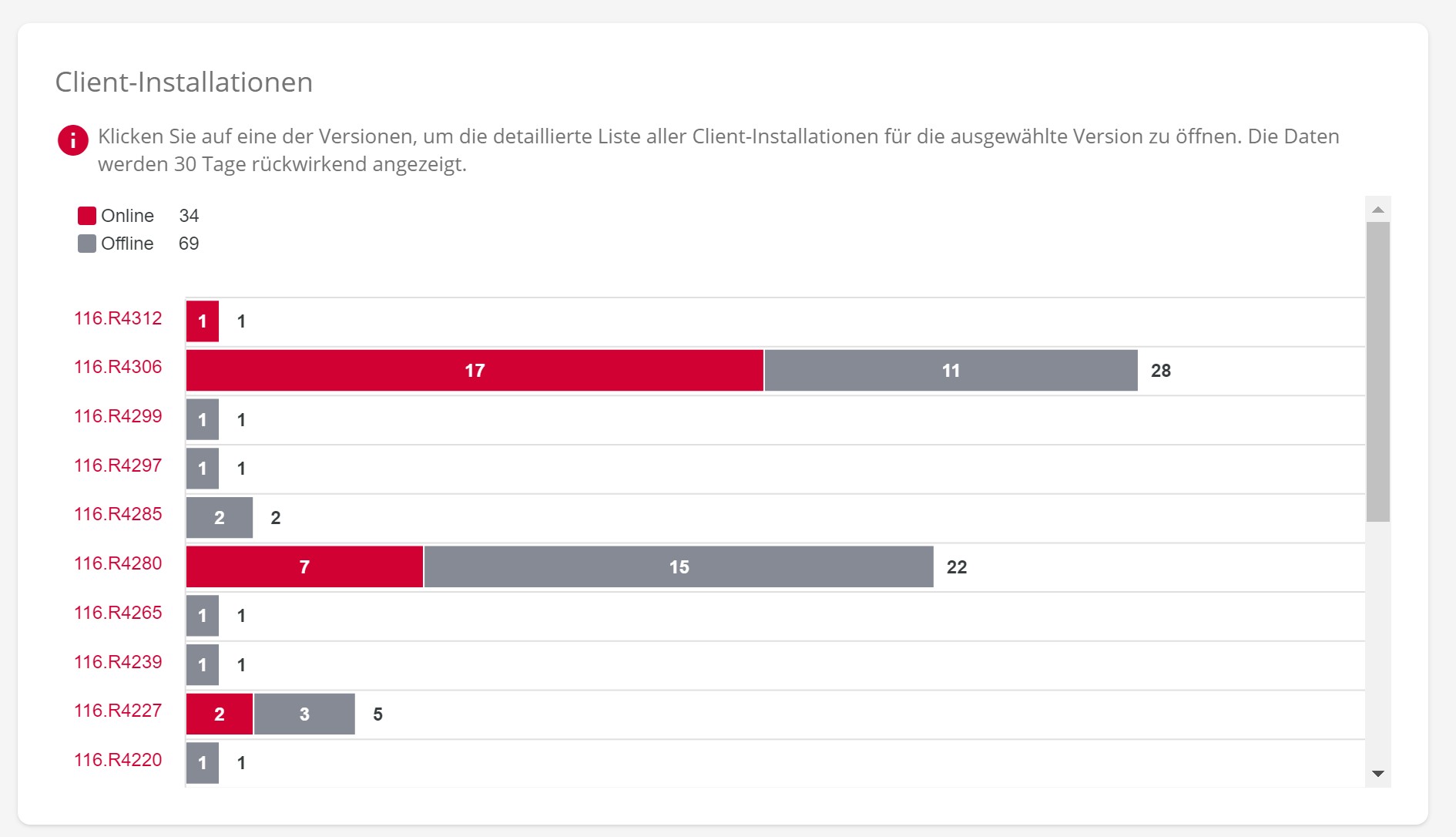
Here you will find all PASCOM app versions clearly arranged in a diagram. It is often important to recognize at a glance which app versions are currently in use in the company in order to update app versions, for example.
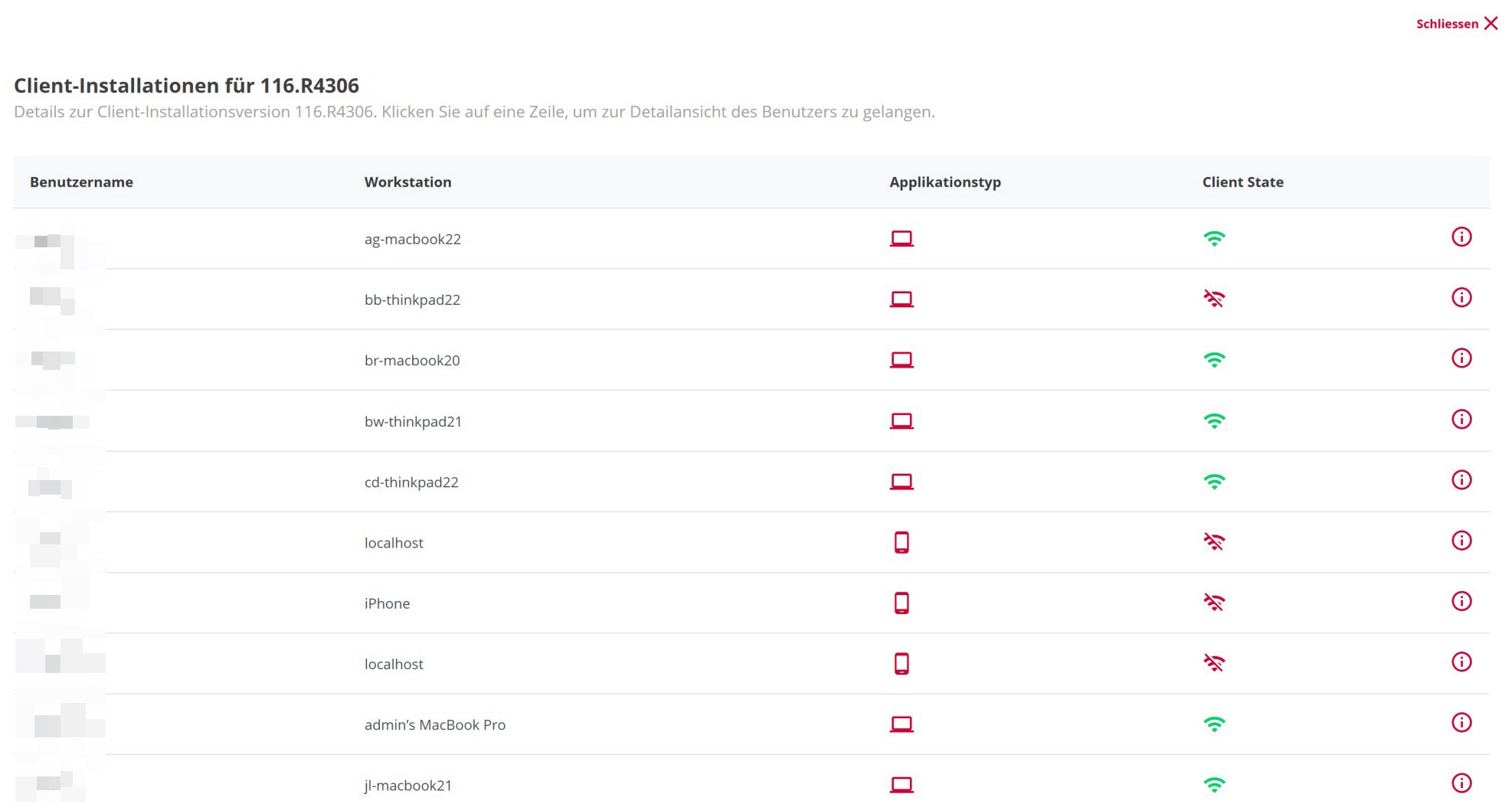
Clicking on a version number takes you to a detailed view where you can obtain further useful information.
## License usage in the Admin Dashboard
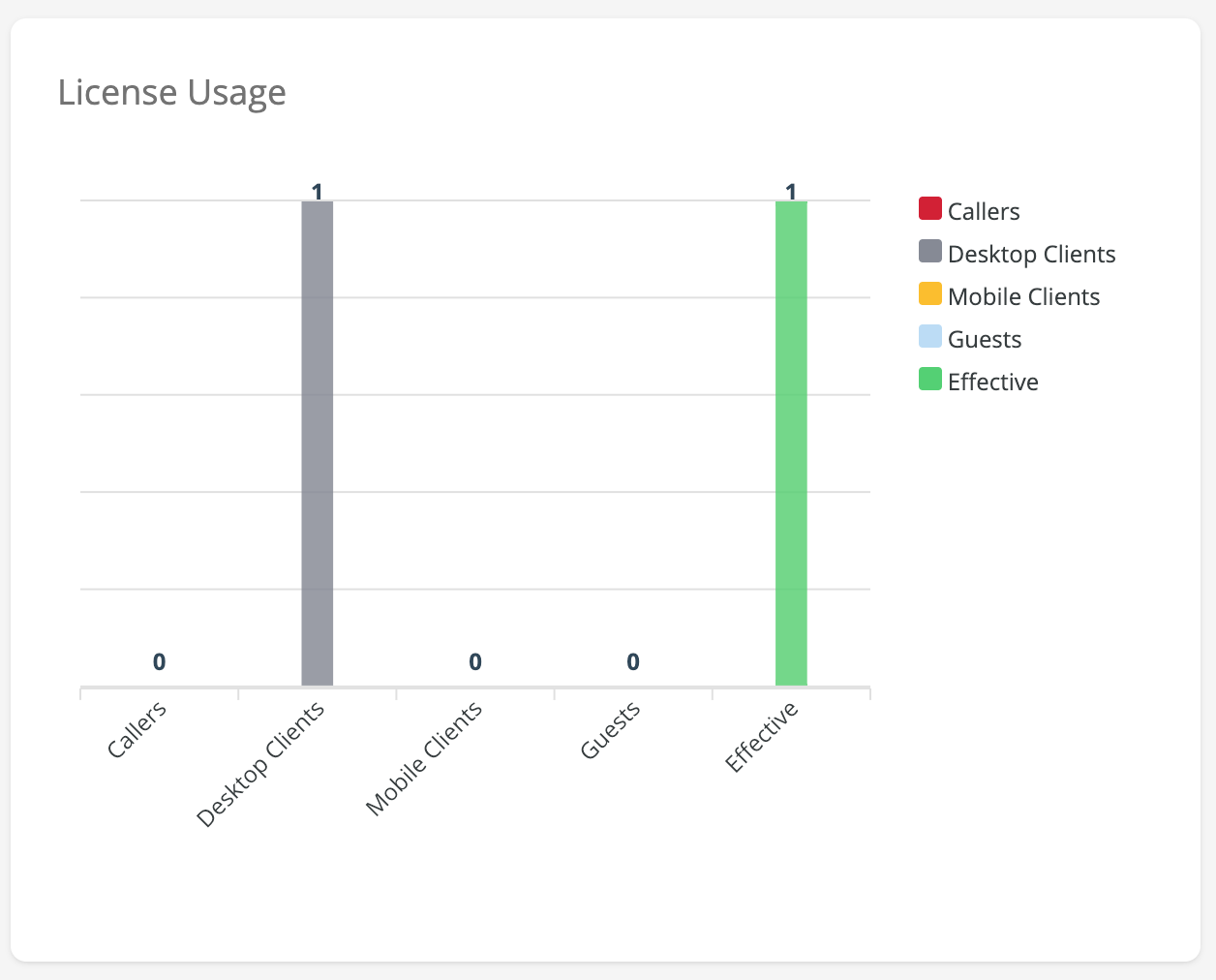
This section of the Admin Dashboard gives you a detailed insight into the current use of licences. The licence usage overview shows exactly where and how many licences are being used. You can see what is using the most licences. This information helps you to optimise licence distribution.
| View | Description |
| ------------ | ----------------------------------------------------------------------------------------------------- |
| Callers | Licence consumption for calls - Only when making outgoing calls via desk phones (without PASCOM app). |
| Desktop Apps | Occupied licences for open desktop apps. |
| Mobile Apps | Occupied licences for paired mobile apps. |
| Guests | Licences used for web meetings with external guests. |
| Effective | Effective total licence utilisation |
---
# Agent Instructions
This documentation is published with GitBook. GitBook is the documentation platform designed so that both humans and AI agents can read, navigate, and reason over technical content effectively. Learn more at gitbook.com.
## Querying This Documentation
If you need additional information that is not directly available in this page, you can query the documentation dynamically by asking a question.
Perform an HTTP GET request on the following URL with the `ask` and `goal` query parameters:
```
GET https://docs.pascom.net/en/operations/system/dashboard.md?ask=&goal=
```
`ask` is the immediate question: it should be specific, self-contained, and written in natural language.
`goal` is what the user is ultimately trying to achieve, the reason they need the answer. Sharing it helps GitBook give you a better, more relevant answer. A goal is most helpful when it describes the outcome the user wants rather than restating the question. For example, with `ask=how do I create an API token`, a goal like `build a script that syncs our docs to a CMS` lets GitBook tailor the answer to that use case.
The response will contain a direct answer to the question and relevant excerpts and sources from the documentation.
Use this mechanism when the answer is not explicitly present in the current page, you need clarification or additional context, or you want to retrieve related documentation sections.