> For the complete documentation index, see [llms.txt](https://docs.pascom.net/llms.txt). Markdown versions of documentation pages are available by appending `.md` to page URLs; this page is available as [Markdown](https://docs.pascom.net/en/account/mypascom-userguide/upgrade-subscription.md).
# Upgrade Subscriptions
How does a smooth upgrade of your PASCOM subscriptions work? This guide will help.
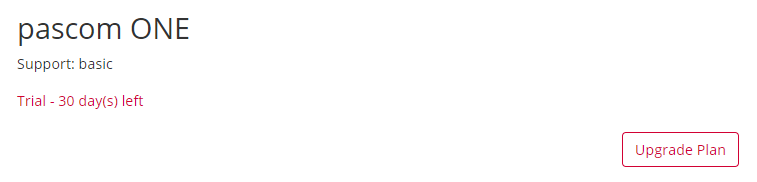
Every PASCOM subscription starts in a [trial version](/en/start/first-steps/trial.md) and can be upgraded at any time during the 30-day trial period. In addition, an upgrade of your PASCOM Cloud subscription is possible at any time during the minimum contract period. To do so, log in to the myPASCOM portal with your account data and go to your [account details](/en/account/mypascom-userguide/subscriptions.md).
In the details panel you will find the **Upgrade Plan** button.
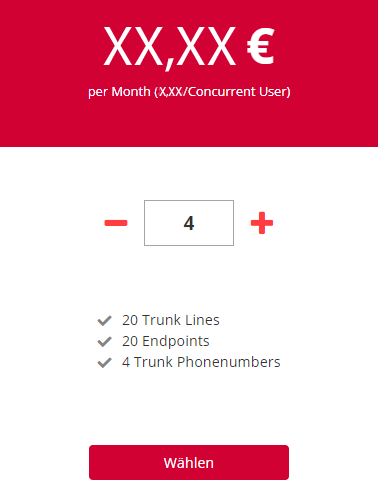
In the following step you get an overview of the services of the bookable licenses. Adjust the number of licenses using the **plus and minus buttons**, or enter the number of licenses required directly in the input field.
### What do the services shown mean?
Every PASCOM subscription includes inclusive services. All services can be found in our service description. Here we would like to briefly explain the services shown in the upgrade window.
| Service | Description |
| ---------------- | ---------------------------------------------------------------------------------------------------- |
| Trunk Lines | Trunk lines (often known as sip lines) are the usable line channels for incoming and outgoing calls. |
| Endpoint devices | Number of Hardware devices that can be set up on the PASCOM PBX. |
| Phone numbers | number of phone numbers included in your subscription |
Once you have decided on a license size, follow the Shop Assistant to the final order overview.
* Select your appropriate SLA (Service Level Agreement) to customize service hours according to your business needs.
* Enter your billing address
* Confirm your payment method
* Complete the purchase in the final order overview.
**Congratulations** - your PASCOM Cloud subscription has been **upgraded**.
### Add new user licenses
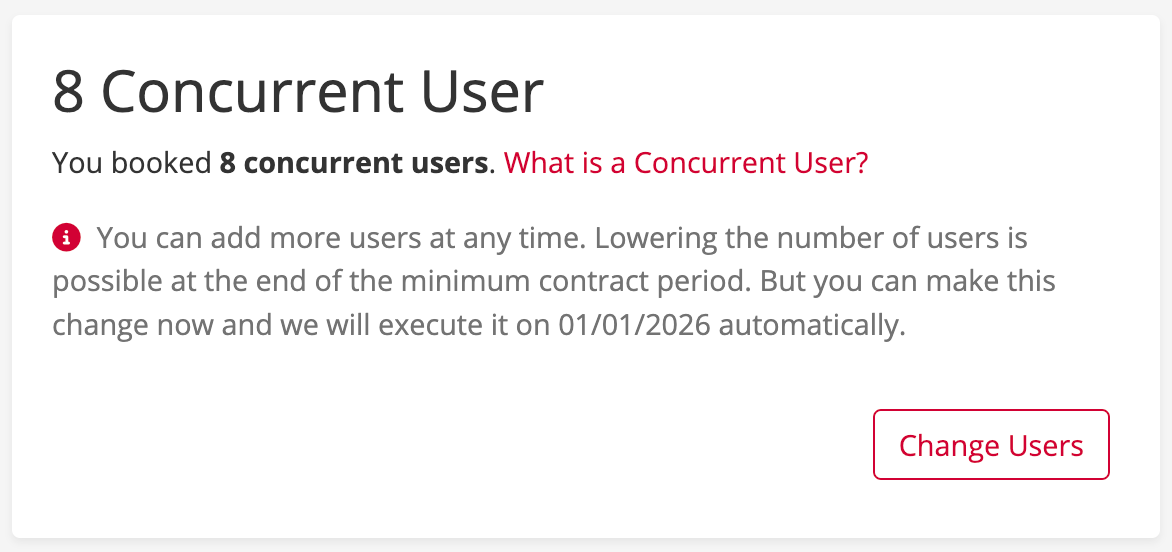
You can add new user licenses at any time. This also works during the **minimum contract term**.
In the details overview you will find the button **Change Users**.
Once you have decided on a license size, follow the Shop Assistant to the final order overview.
* Enter your billing address
* Confirm your payment method
* Complete the purchase in the final order overview.
{% hint style="info" %}
Adding new user licenses does not conclude a new **minimum contract term**.
{% endhint %}
---
# Agent Instructions
This documentation is published with GitBook. GitBook is the documentation platform designed so that both humans and AI agents can read, navigate, and reason over technical content effectively. Learn more at gitbook.com.
## Querying This Documentation
If you need additional information that is not directly available in this page, you can query the documentation dynamically by asking a question.
Perform an HTTP GET request on the following URL with the `ask` and `goal` query parameters:
```
GET https://docs.pascom.net/en/account/mypascom-userguide/upgrade-subscription.md?ask=&goal=
```
`ask` is the immediate question: it should be specific, self-contained, and written in natural language.
`goal` is what the user is ultimately trying to achieve, the reason they need the answer. Sharing it helps GitBook give you a better, more relevant answer. A goal is most helpful when it describes the outcome the user wants rather than restating the question. For example, with `ask=how do I create an API token`, a goal like `build a script that syncs our docs to a CMS` lets GitBook tailor the answer to that use case.
The response will contain a direct answer to the question and relevant excerpts and sources from the documentation.
Use this mechanism when the answer is not explicitly present in the current page, you need clarification or additional context, or you want to retrieve related documentation sections.